
Download Tenalog – AI‑Powered Speech‑Therapy Documentation Software
Overview
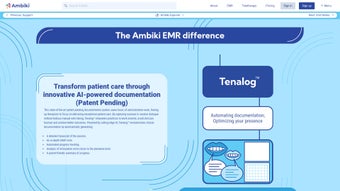
Tenalog is a cloud‑native, AI‑driven documentation platform built specifically for Speech‑Language Pathologists (SLPs). The solution combines a HIPAA‑compliant audio recorder, real‑time speaker identification, and a state‑of‑the‑art speech‑to‑text engine to produce instant, time‑stamped transcripts of therapy sessions. Beyond transcription, Tenalog automatically highlights pronunciation errors at the phoneme level, generates structured SOAP notes, and creates parent‑friendly summaries that can be shared with a single click.
The platform also offers visual progress dashboards, automated session‑planning suggestions, and curated resource recommendations from the Ambiki library, turning raw session data into actionable clinical insight. Because Tenalog runs entirely in the browser, it is accessible from any modern device—desktop, laptop, tablet, or smartphone—without the need for bulky installations. This design dramatically reduces the administrative burden that traditionally eats into clinicians’ time, allowing them to focus on delivering high‑quality, personalized therapy.
Whether you work in a private practice, a school district, or a large hospital network, Tenalog’s secure, always‑up‑to‑date architecture ensures compliance, reliability, and ease of use across the entire therapy workflow.
Key Features and Easy Installation
Core Features
- HIPAA‑Compliant Audio Capture: End‑to‑end AES‑256 encryption protects recordings at rest and in transit.
- Instant AI Transcription: Speech‑to‑text engine delivers accurate, time‑stamped transcripts within seconds.
- Phoneme‑Level Error Detection: Automatic identification of mispronunciations with corrective activity suggestions.
- Speaker Separation: Distinguishes clinician, client, and supporting adults for searchable notes.
- Auto‑Generated SOAP Notes: Drafts complete progress notes that can be edited and exported.
- Progress Dashboards: Visual charts track goal attainment over days, weeks, or months.
- Parent‑Friendly Summaries: Concise, jargon‑free reports delivered via secure link or email.
- Session Planning Assistant: Suggests next‑step activities based on previous session data.
- Integrated Resource Library: Direct access to games, worksheets, and apps aligned with therapy goals.
- Cross‑Platform Browser Access: Works on Windows, macOS, ChromeOS, iOS, and Android without extra software.
- Continuous AI Updates: Monthly model improvements increase transcription accuracy and analytics depth.
- Secure Cloud Storage: Redundant, encrypted backups guarantee data integrity and disaster recovery.
Step‑by‑Step Installation & First Use
- Create Your Account: Visit tenalog.com/signup, complete the professional registration form, and verify your email.
- Select a Plan: Start with the 30‑day free trial or choose a paid tier (Individual, Group, Enterprise) that fits your practice size.
- Secure Your Account: Enable two‑factor authentication in the Security tab and review HIPAA settings.
- Add the Browser Extension (Optional): Install the Tenalog extension for Chrome, Edge, or Firefox to get a one‑click “Start Session” button.
- Set Up Client Profiles: Input demographic data, therapy goals, and any existing assessments for each patient.
- Record a Session: Click “New Session,” select the client, and press “Record.” The recorder captures audio, timestamps utterances, and tags speakers automatically.
- Review AI Output: Within minutes the platform provides a transcript, phoneme error report, and draft SOAP notes. Edit as needed and click “Finalize.”
- Export or Sync: Download PDFs/CSVs or send data directly to your EMR via secure API integration (TherapyNotes, SimplePractice, Epic, etc.).
- Monitor Progress: Open the Dashboard to view visual charts and share parent summaries via secure links.
- Keep Learning: The AI refines its models from your edits, improving future accuracy. Allow automatic updates in Settings to stay current.
Because Tenalog runs entirely in a web browser, no heavy client‑side installation is required on Windows, macOS, or mobile devices. A modern browser (Chrome, Edge, Safari, or Firefox) and an internet connection are the only prerequisites, making the solution ideal for clinicians who move between clinics, homes, or school settings.
Compatibility, Pros, and Cons
Supported Platforms: Tenalog is accessible through any modern browser on Windows 10/11, macOS 10.14+, ChromeOS, iOS 13+, and Android 8+. No native desktop or mobile apps are required, simplifying IT management for large institutions.
Pros
- Full HIPAA compliance ensures patient data privacy.
- Instant, accurate transcription eliminates manual note‑taking.
- Phoneme‑level analysis provides granular clinical insight.
- Auto‑filled SOAP notes and parent summaries streamline communication.
- Integrated resource library reduces time spent searching for therapy activities.
- Visual progress dashboards improve goal tracking for clinicians and families.
- Cross‑platform browser access removes hardware constraints.
- Continuous AI updates keep the platform at the cutting edge.
- Secure cloud storage with automatic backups protects data integrity.
- Scalable pricing fits solo practitioners to large enterprises.
Cons
- Requires a stable internet connection; offline mode is limited.
- Initial learning curve for users unfamiliar with AI‑driven tools.
- Advanced integrations (API, HL7) are only available on higher‑tier plans.
- Transcription accuracy can be affected by heavy accents or background noise.
- Reliance on third‑party cloud providers may raise institutional policy concerns.
Frequently Asked Questions
Is Tenalog truly HIPAA‑compliant?
Yes. Tenalog encrypts audio files during capture, transmission, and storage using AES‑256 encryption. All servers reside in HIPAA‑certified data centers, and the platform provides a Business Associate Agreement (BAA) for every subscribing organization.
Can I use Tenalog on an iPad during a home‑visit session?
Absolutely. Tenalog runs in any modern browser, so you can open Safari or Chrome on an iPad, log in, and start recording. The interface adapts to smaller screens, and parent summaries can be emailed directly from the device.
How accurate is the automatic transcription?
The AI model typically achieves a word‑error rate (WER) below 6 % on standard clinical speech samples. Accuracy improves in quiet environments and when a high‑quality headset is used. Users can edit transcripts, and the system learns from those edits to enhance future performance.
Does Tenalog integrate with my existing EMR?
Yes. Tenalog offers secure API endpoints and HL7‑compatible export options for popular EMR platforms such as TherapyNotes, SimplePractice, and Epic. Integration can be set up by your IT team or with assistance from Tenalog support.
What subscription options are available for a small private practice?
Tenalog provides an Individual plan at $49 USD per month per clinician, which includes unlimited transcription, analytics, and client records. Group plans start at $199 USD per month for up to five clinicians, and an Enterprise tier offers custom pricing for larger organizations.
Conclusion – Should You Download Tenalog?
Documentation has long been a time‑consuming bottleneck for speech‑therapy professionals. Tenalog addresses this challenge by combining secure, AI‑driven transcription with granular phoneme analysis, automated SOAP notes, and family‑focused summaries. Its cloud‑first design means you can work from any device, and the tiered pricing makes it accessible to solo practitioners as well as large health systems. While a reliable internet connection and a brief onboarding period are required, the productivity gains and richer clinical data quickly outweigh these minor drawbacks. If you’re looking to modernize your workflow, improve compliance, and deliver measurable outcomes for your clients, Tenalog is a compelling investment.
Download Tenalog today and start your free 30‑day trial. Experience how AI can transform your documentation, free up valuable clinical time, and elevate the quality of care you provide.
Pros: Secure, accurate transcription, detailed phoneme analysis, parent‑friendly reports, cross‑platform access.
Cons: Requires internet, learning curve, premium features locked to higher plans.



.png)



